• Find My Drone

Best Apps for DJI Drones in 2026: 7 Worth Installing

Updated

By Paul Posea

Best Apps for DJI Drones in 2026: 7 Worth Installing - drone reviews and comparison

DJI Apps vs. Third-Party: When to Use Which

Most pilots use both. DJI Fly is hard to replace for basic flying, it handles the drone connection, live feed, camera controls, and intelligent flight modes with essentially zero friction. But it's intentionally limited for mission planning and utility. Third-party apps fill the gaps DJI left open.

If you needBest optionCost
Daily flying, QuickShots, basic camera adjustmentsDJI Fly (official)Free
Waypoint missions on Mini 3/4 Pro, automated flightsLitchi~$25 one-time
Complex automated missions, multi-component sequencesDronelinkFree + paid tiers
Pre-flight weather, wind speed, satellite countUAV ForecastFree + paid
Flight logging, Part 107 compliance, fleet trackingAirDataFree + paid
Airspace safety checks before you drive to the siteB4UFLY (FAA official)Free
3D mission planning, terrain following, facade scansDrone HarmonyPaid subscription

One practical note on the 2026 DJI regulatory situation in the US: DJI SDK access for third-party apps has been affected by the ongoing federal restrictions. Litchi and Dronelink continue to function for most consumer drones, but pilots working in enterprise contexts should check each app's current DJI SDK compatibility status before depending on them for commercial work.

DJI Fly: The Official App (and Its Real Limitations)

DJI Fly is the right starting point. If you're flying a Mini 3, Mini 4 Pro, Mini 5 Pro, Flip, or Neo, it's already on your phone and it works. Connection setup takes about 30 seconds, the camera controls are intuitive, and the intelligent flight modes, QuickShots, FocusTrack, Hyperlapse, MasterShots, are well-executed for what they do.

What DJI Fly does well

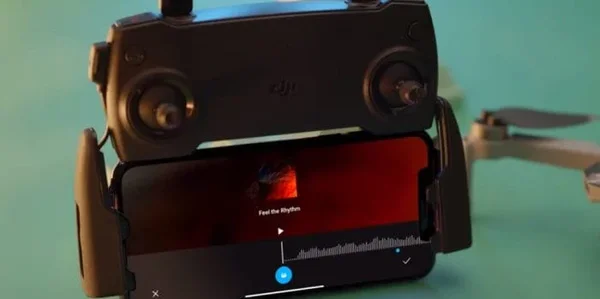
DJI Fly app pro mode interface screenshot

The live feed is stable and responsive. Transferring clips via Wi-Fi to your phone is fast enough for quick social posts on location. The built-in QuickShot modes (Dronie, Helix, Rocket, Boomerang, Asteroid, Circle) produce polished results without manual piloting skill. FocusTrack's subject lock is reliable in open-air conditions. Hyperlapse's stabilized timelapse modes are genuinely good.

What DJI Fly doesn't do

Waypoint missions are the biggest omission on consumer drones. You can't draw a flight path on a map, set altitude and camera angles at each point, and have the drone fly it automatically. DJI reserves that for enterprise hardware. There's also no real flight logging (beyond basic stats), no offline airspace data, no pre-flight weather, and no telemetry export. For recreational flying these gaps rarely matter. For anything more systematic, they do.

DJI Fly is free on iOS and Android. Keep a local copy of the installer (APK on Android), cloud-based updates could be disrupted by ongoing federal restrictions on DJI software distribution in the US.

Litchi and Dronelink: Waypoints and Automated Missions

These two apps address the same core gap, automated flight paths, from different angles. Litchi is more mature and more intuitive for pilots who want to plan a simple orbit or waypoint route. Dronelink is more powerful and better suited for complex multi-component missions and commercial repeatability.

Litchi (~$25 one-time purchase)

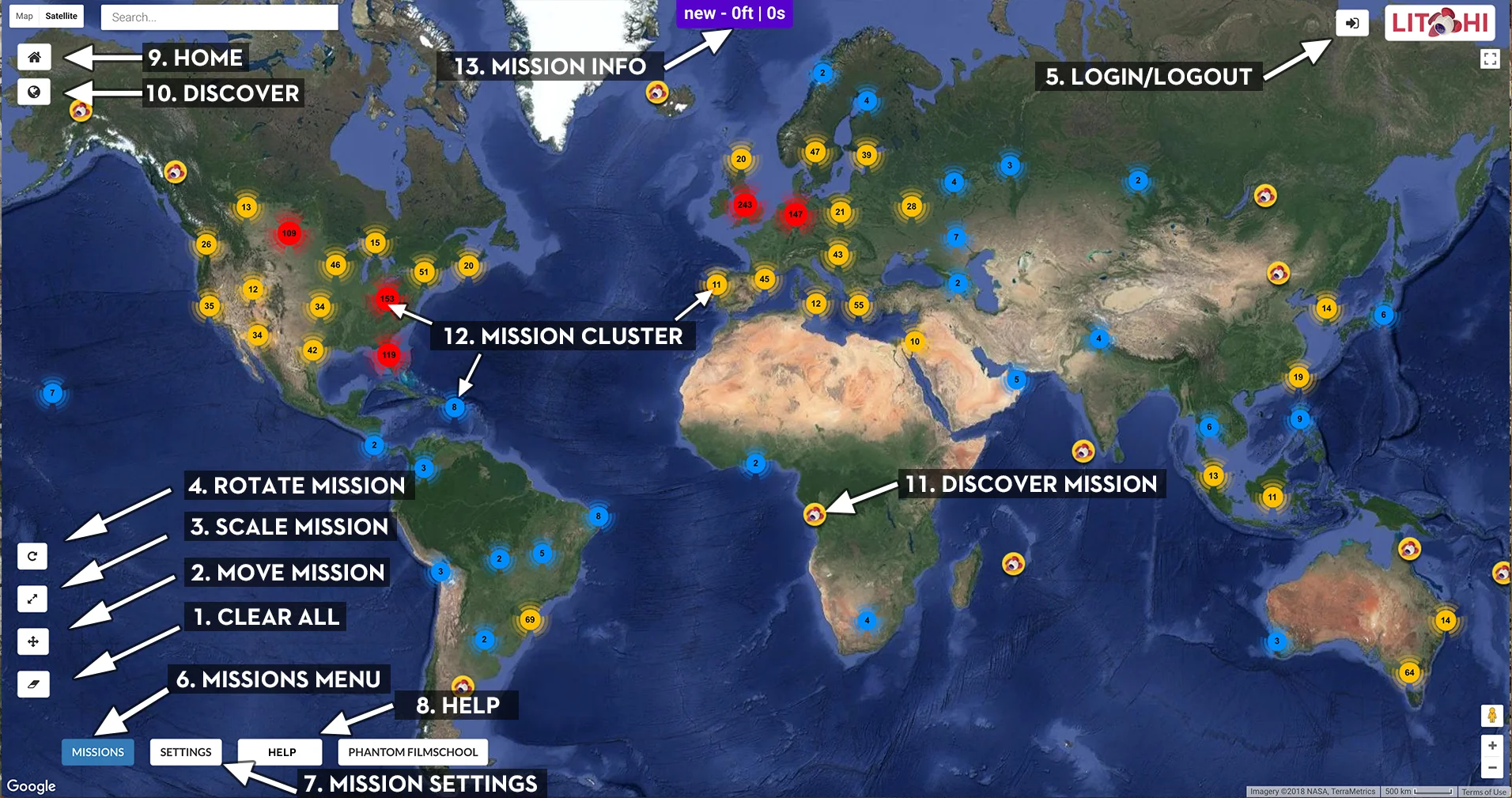
Litchi app for DJI drones - waypoint mission planning interface

Litchi's main value is waypoint missions on drones that don't have them in DJI Fly, including the Mini 2, Mini 3, and Mini 4 Pro. You plan the route on a web interface or in the app, set altitude, speed, and camera angle at each waypoint, and the drone flies it. The result is footage that's perfectly consistent and repeatable, useful for construction progress documentation, real estate flyovers, and any situation where you need the same shot from the same angle across multiple flights.

It also adds Follow Me and orbit (Point of Interest) modes to drones that don't have them natively. On the Mini 4 Pro, DJI Fly's FocusTrack is good enough that Litchi's Follow Me is less compelling, but on older Mini models the difference is meaningful.

Litchi costs around $25 as a one-time purchase on iOS and Android. There are no subscriptions. Litchi requires DJI SDK access, check compatibility for your specific drone model before purchasing.

Dronelink (free base, paid tiers from $10/month)

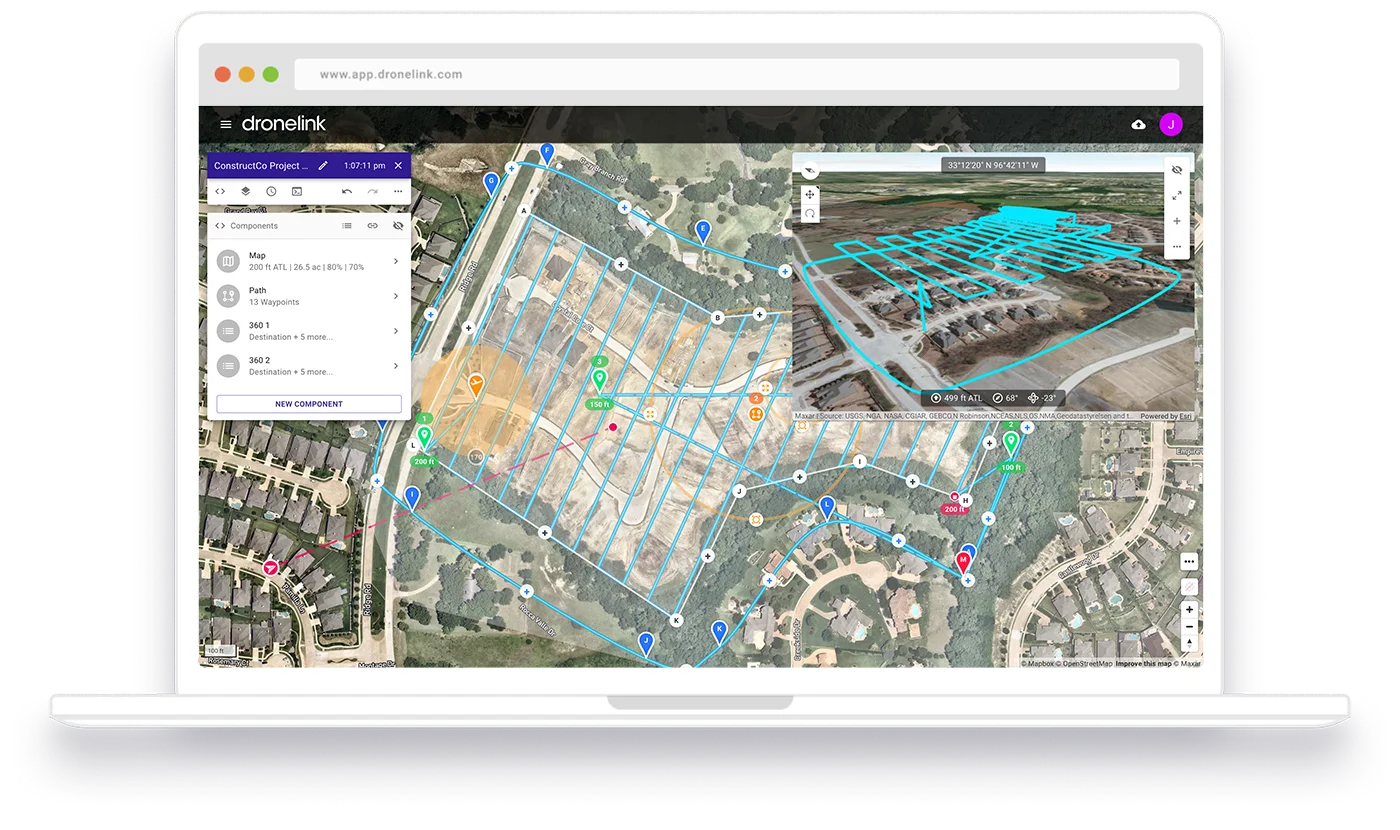
Dronelink mission planner web interface showing automated drone flight path over satellite map

Dronelink takes a different approach: instead of a simple waypoint editor, it gives you a mission component system, orbits, waypoint sequences, 360-degree panoramas, and facade scans are individual components you chain together into a full automated mission. The mission runs exactly the same way every time, with configurable camera settings at each point.

The free tier covers basic missions. Paid tiers unlock more components, cloud mission storage, and multi-platform support (Web, iOS, Android, DJI Smart Controller). It's more complex to learn than Litchi but more capable for pilots who need repeatable precision.

Dronelink is at dronelink.com.

UAV Forecast and B4UFLY: Pre-Flight Essentials

Two apps that should run before every flight, one for weather, one for airspace. Neither replaces the other.

UAV Forecast (free + paid tier)

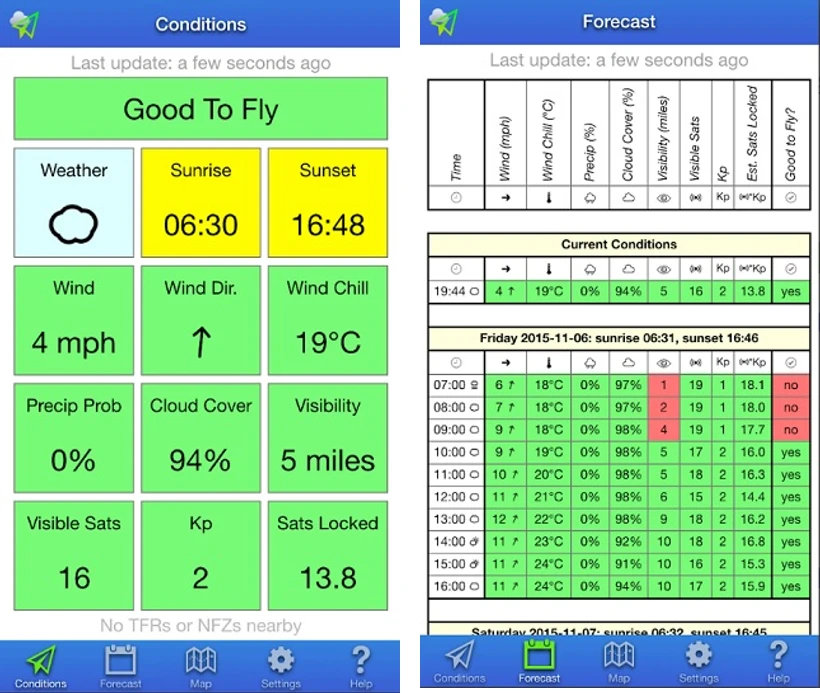
UAV Forecast app showing current conditions and hourly forecast for drone pilots

UAV Forecast shows hyperlocal weather specifically for drone pilots. The key metrics: wind speed at altitude (not just surface level), temperature, precipitation probability, visibility, cloud base, GPS satellite availability, and Kp index (geomagnetic activity that affects compass reliability). You enter your drone's maximum wind tolerance and the app flags whether conditions are safe for flight.

The free version covers current conditions and near-term forecasts. The paid tier adds more granular altitude-layer data and extended forecasts. Available on iOS and Android.

DJI Fly shows basic weather in the app but it's surface-level data. On a day where surface wind is 8 mph and altitude wind at 200 feet is 22 mph, DJI Fly won't tell you that. UAV Forecast will.

B4UFLY (FAA, free)

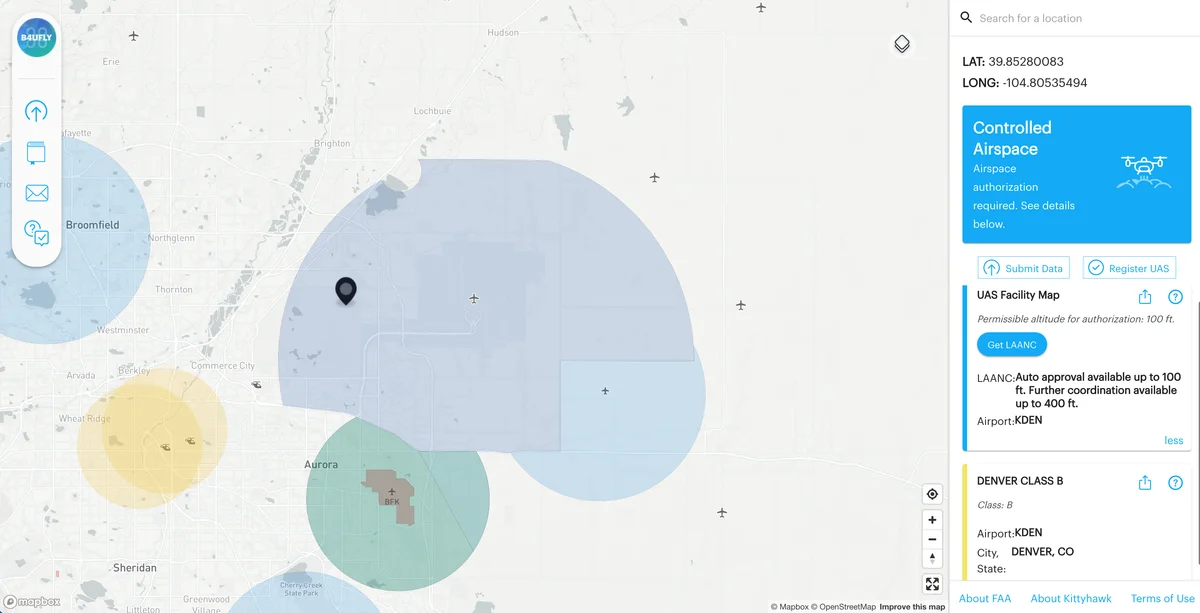
B4UFLY airspace map showing controlled airspace zones and LAANC authorization around Denver

B4UFLY is the FAA's official airspace safety app. Enter a location and it tells you whether recreational flying is allowed there, what airspace class you're in, whether you're near an airport or helipad, whether there are TFRs (Temporary Flight Restrictions) active, and what authorizations are required.

For Part 107 pilots, B4UFLY complements, but doesn't replace, LAANC authorization through tools like the FAA DroneZone or AirMap. For recreational fliers, it's the fastest way to check whether a location is legal before you leave the house. The interface is basic, but for airspace status checks it does exactly what it needs to.

AirData and Drone Harmony: Advanced Logging and Mission Planning

These two apps are for pilots who need more than what consumer apps offer, AirData for operational record-keeping, Drone Harmony for complex 3D mission design.

AirData (free + paid tiers)

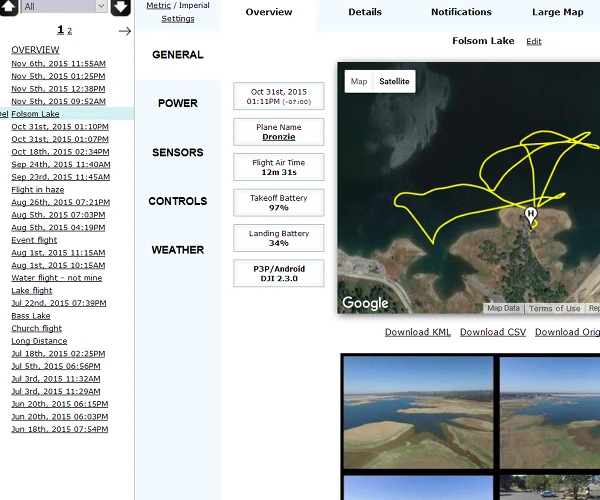
AirData UAV flight overview dashboard - drone flight log analysis

AirData automatically syncs flight logs from DJI Fly after each session and builds a structured record: flight time, distance, max altitude, speed, battery cycles, GPS track, and any warnings or errors that occurred. The free tier covers basic logging and flight history. Paid tiers add maintenance reminders, Remote ID tracking, compliance reporting, and fleet management for operators running multiple aircraft.

For Part 107 commercial pilots, AirData's flight logs function as the operational records required for insurance and audit purposes. The data export includes everything needed to document flight time, locations, and aircraft condition across a commercial operation. Available at airdata.com and as a mobile app.

Drone Harmony (paid subscription)

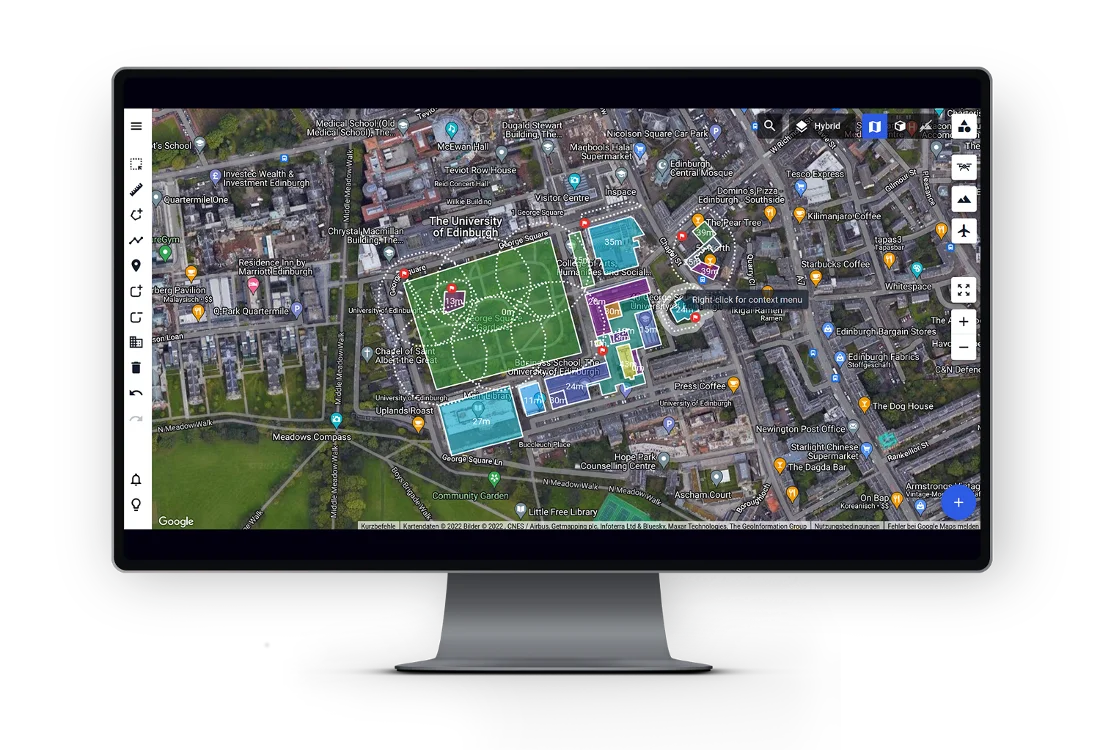
Drone Harmony 3D mission planner showing inspection flight path over satellite imagery

Drone Harmony is purpose-built for inspection, mapping, and construction use cases where flight paths need to follow real 3D geometry, building facades, cell towers, rooftops, terrain contours. You import a 3D model or use the app's terrain data, draw the inspection flight on it, and the drone executes the path at consistent standoff distance. It's specialized software for operators who need it, not a general-purpose tool for recreational pilots.

Pricing varies by plan. See droneharmony.com for current tiers.

Our Verdict: Best DJI Drone Apps in 2026

Seven apps, two official, five third-party, that cover the actual gaps in the DJI Fly ecosystem.

DJI Fly (free)

The baseline. Use it for all standard flying, it handles the drone connection and intelligent flight modes better than any third-party alternative.

Keep a local APK backup on Android given the ongoing cloud distribution uncertainty for DJI software in the US.

Litchi (~$25 one-time)

The right choice if you want waypoint missions, consistent repeatable flyovers, or Follow Me mode on drones that don't have it in DJI Fly.

One-time purchase with no subscription. The most widely used third-party DJI app by a significant margin.

Dronelink (free + paid)

More capable than Litchi for complex missions, orbits, panoramas, and facade scans chained into one automated sequence. Steeper learning curve but better repeatability for commercial use.

Free tier is genuinely useful for testing; the paid tier is where the serious commercial features live.

UAV Forecast (free + paid)

Run it before every outing. Surface weather data from DJI Fly doesn't show you what wind is doing at 200 feet.

The free version is enough for most recreational pilots. The paid tier adds altitude-layer detail that matters for commercial operations.

B4UFLY (free, FAA official)

Three minutes in B4UFLY before leaving the house saves you the drive to a location you can't legally fly.

Free, official, and updated with current TFRs. No excuses for not having it.

AirData (free + paid)

Automatic flight logging for everyone; compliance-grade records for Part 107 operators.

The free tier is useful. Paid tiers earn their keep if you're doing commercial work where operational records matter.

Drone Harmony (paid)

Not for recreational pilots. For inspection and mapping work that requires following 3D geometry, it's the most capable option in the category.

Check current DJI SDK compatibility before committing to a subscription.

FAQ

Yes, Litchi is compatible with the DJI Mini 4 Pro and adds waypoint missions, orbit mode, and Follow Me functionality that DJI Fly doesn't include for consumer drones. Litchi uses the DJI Mobile SDK, so compatibility depends on DJI maintaining SDK access. As of early 2026, Litchi continues to function on the Mini 4 Pro, but it's worth checking flylitchi.com for the current compatibility list before purchasing, particularly given the ongoing U.S. federal restrictions on DJI software distribution.

Yes, with some caveats. Litchi and Dronelink can replace DJI Fly for most flight functions on compatible drones. However, DJI Fly is required for initial drone activation, firmware updates, and some safety calibrations. Most pilots use DJI Fly for setup and firmware management, then switch to a third-party app for specific mission types. Keeping DJI Fly installed alongside other apps is the practical approach.

Litchi is the most widely used option for waypoint missions on consumer DJI drones. It supports the Mini 2, Mini 3, Mini 4 Pro, and several Mavic-series drones. Dronelink is the better choice for complex missions that combine multiple flight components (orbits, waypoints, panoramas) in a single automated sequence. Both require DJI SDK access, check current compatibility for your specific drone before purchasing.

B4UFLY is the FAA's official airspace safety app and reflects the official airspace classification and TFR data. It's accurate for determining whether recreational flight is permitted at a given location and what authorizations are required. It does not replace LAANC authorization for Part 107 operations near controlled airspace, for that, use the FAA DroneZone or a LAANC provider like Aloft (formerly AirMap). B4UFLY is best used for quick location checks before committing to a flight site.

AirData works for both. The free tier is useful for any pilot who wants to track flight history, monitor battery health cycles, and review post-flight telemetry. The paid tiers add features that matter for commercial operations: compliance logging, Remote ID tracking, maintenance scheduling, and fleet management. Recreational pilots who fly regularly will find the free tier's automatic log syncing and battery cycle tracking worth using on its own.

Standard weather apps show surface conditions, ground-level temperature, wind, and precipitation. UAV Forecast shows conditions at multiple altitudes (typically surface, 50m, 100m, and higher), which matters because wind speeds increase significantly with altitude. It also shows GPS satellite count at your location (relevant for positioning accuracy), the Kp index for geomagnetic activity (which affects compass reliability), and lets you input your drone's maximum wind tolerance to get a go/no-go recommendation. On days where surface wind looks fine but altitude wind is above your drone's limit, standard weather apps won't catch that.

The 2026 federal restrictions on DJI target sales of new hardware and restrict certain software distribution channels, but do not prohibit existing drone owners from flying their hardware or using compatible apps. Third-party apps like Litchi and Dronelink use the DJI Mobile SDK to communicate with the drone, if DJI restricts SDK access for US developers, those integrations could break in future app updates. As of early 2026, both apps continue to function. Pilots concerned about long-term access should keep local backups of current app versions that work with their drone.

Paul Posea

Paul Posea

Author · Dronesgator

Paul Posea is the founder of Dronesgator and has been reviewing and comparing drones since 2015. With a Part 107 certification, 195 YouTube drone reviews, and published work on Digital Photography School, he combines hands-on flight testing with data-driven analysis to help pilots find the right drone.