• Find My Drone

Drone Wobbling: 8 Fixes for Physical Wobble, Camera Jello, and Video Shake

Updated

By Paul Posea

Drone Wobbling: 8 Fixes for Physical Wobble, Camera Jello, and Video Shake - drone reviews and comparison

Why Your Drone Is Wobbling: Three Types to Diagnose First

Physical Wobble: The Aircraft Body Itself

Physical wobble is when the drone body oscillates, shakes, or rolls erratically during hover or forward flight. You see it with your eyes, not just in the footage. The drone may tip on one axis, spiral slightly, or produce a high-frequency vibration that you can feel on the controller as erratic stick feedback. Physical wobble has hardware causes (propellers, motors, ESC) and calibration causes (IMU, compass).

Camera Jello: Wavy Distortion in Video

Camera jello is a visual artifact baked into video footage: vertical lines appear to wave, straight edges curve, and the image looks almost liquid in motion. The aircraft itself may be flying smoothly. Jello is caused by vibration reaching the camera sensor, where the CMOS rolling shutter reads each row of pixels at a slightly different moment. Any vibration in the gimbal isolation system translates directly into jello in the recorded image.

Video Stabilization Artifacts

EIS (Electronic Image Stabilization) wobble appears as an unnatural waving effect in footage after stabilization is applied, particularly on tight horizontal pans or when using the vertical video mode on DJI drones. This is a software processing artifact, not a hardware problem. It is most visible at the edge of the stabilization crop area and on footage with strong geometric lines (buildings, roads). It cannot be fixed by calibrating the drone.

Identify your wobble type before attempting any fix. Physical wobble: visible in flight, not just footage. Camera jello: wavy distortion in video, drone may be stable. EIS artifacts: waving effect only in processed/stabilized footage, especially at the edges of the frame.

Quick Diagnostic Summary

SymptomTypeFirst Fix to Try
Drone rocks or oscillates during hoverPhysicalIMU calibration indoors
Diagonal takeoff or one-side tiltPhysicalInspect/replace propellers
High-frequency rapid shakingPhysicalReduce P-gain (FPV) / check motor
Wavy, liquid-looking videoJelloInspect gimbal dampers
Waving only on pans/edges of frameEIS artifactDisable EIS or switch stabilization mode
Slow spiral during hoverPhysicalCompass calibration outdoors

Fix Drone Wobbling from Damaged Propellers and Motors

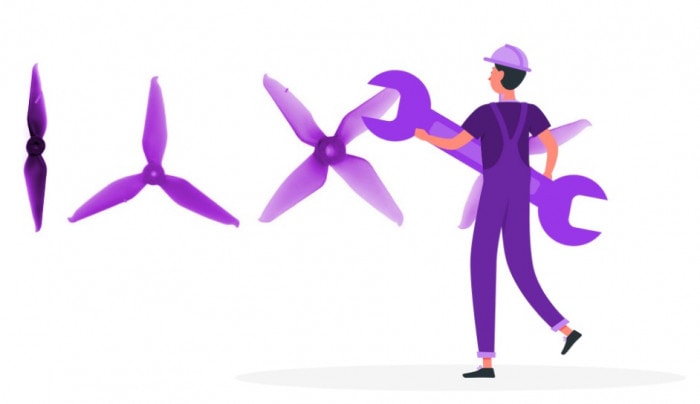
Damaged drone propeller causing wobbling and unstable flight
A chip, crack, or slight warp on any propeller blade creates asymmetric thrust that causes physical wobble. Inspect blades at eye level to catch warping that is not visible straight-on.

Damaged or Unbalanced Propellers

A chipped, cracked, or warped propeller blade creates asymmetric thrust on that arm. The flight controller partially compensates by running the opposite motor harder, but it cannot fully correct. The result is a persistent vibration or a tilt toward the damaged arm that gets worse at higher speed.

Inspect each blade at eye level against a uniform background (the sky or a white wall). A warped blade will show a twist or curve when viewed from the tip. A cracked blade may look fine straight-on but reveal a hairline fracture at an angle. Any blade that looks different from its pair on the same arm should be replaced before further flights.

Also confirm propeller installation: DJI quick-release props must be pressed down and rotated to the click. A prop that is seated but not locked spins freely at rest and may generate uneven thrust at flight speed, producing a low-frequency wobble that matches motor RPM.

Motor Issues Causing Drone Wobbling

A motor with debris, a damaged bearing, or a bent shaft produces asymmetric thrust on that arm. With the drone powered off and props removed, spin each motor bell by hand. All four should spin freely with the same light resistance. A motor that feels gritty, catches, or grinds is the source of the vibration. Clear debris with tweezers and compressed air. Replace the motor if bearing damage is confirmed (grinding that persists after cleaning).

Motor failures from water exposure often appear as wobble before they appear as a non-spinning motor: the corroded bearing creates drag that shows up as asymmetric thrust first. If wobble started after a water incident, inspect the motor bearings by hand-spinning before chasing calibration fixes.

ESC Calibration for FPV and Custom Builds

On consumer DJI drones, ESCs are factory-calibrated and cannot be user-adjusted. But on custom FPV builds and non-DJI GPS drones with user-accessible ESCs, miscalibrated ESCs cause uneven motor timing that produces physical wobble. The fix is an "all at once" ESC calibration: full throttle before power-on, power on, wait for confirmation beep sequence, then reduce throttle. The exact procedure varies by ESC firmware (BLHeli, KISS, AM32), so consult the manufacturer documentation for your ESC.

IMU and Compass Calibration for a Wobbling Drone

DJI drone IMU calibration process to fix wobbling and unstable hover
IMU calibration resets the drone's reference for level. Run it indoors on a flat hard surface after any crash, firmware update, or extended transport.

IMU Calibration for Physical Wobble

IMU miscalibration is the most common cause of hover wobble on consumer GPS drones. The flight controller's accelerometer holds a reference for what "level" feels like. If that reference drifts (from vibration during transport, a crash, or a firmware reset), the drone compensates by applying asymmetric motor power, which shows up as oscillation.

To recalibrate on DJI drones: three-dot menu in DJI Fly, Safety, Sensors, IMU Calibration. Run indoors on a flat hard table or concrete floor. Keep the drone away from metal surfaces and speakers during calibration. Some models (Air 3S, Mavic 4 Pro) require placing the drone on its side or back at certain calibration steps: follow the on-screen prompts exactly. Power off and back on before testing.

Tip: If your DJI drone started wobbling immediately after a firmware update, IMU recalibration is almost always the fix. Firmware updates can reset sensor reference values. Make this the first step after any firmware update, even if the drone seems stable at first.

Compass Calibration for Circular or Spiral Wobble

If the wobble pattern is circular (the drone slowly rotates or spirals outward during hover rather than oscillating on one axis), the compass is the cause. The GPS position hold system relies on the compass for heading reference. A miscalibrated compass produces heading errors that the system continuously over-corrects, causing a slow rotational drift.

Compass calibration must be done outdoors in an open area at least 10 meters from any metal structure. In DJI Fly: three-dot menu, Safety, Sensors, Compass Calibration. Hold the drone level and rotate it in a full 360-degree circle, then hold it nose-down and rotate again. Do not calibrate near parked vehicles, metal fences, power lines, or rebar in concrete.

GPS Satellite Count and Position Hold Failure

GPS drones need at least 6 satellites to engage position hold mode. Below that count, the drone drifts with any air movement because it cannot determine its position accurately. In DJI Fly, the satellite count shows in the top bar of the camera view. Always wait for 8 or more satellites before flying. Flying immediately after powering on in a partially shaded or obstructed location is a common cause of hover instability that looks like wobble but is actually GPS drift.

Fixing Camera Jello: Gimbal Wobbling in Drone Footage

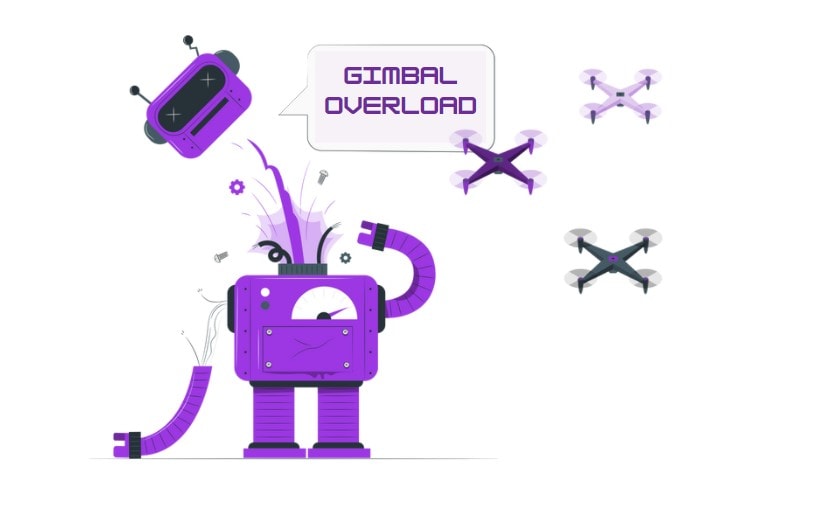
Drone gimbal overload fix and jello effect from gimbal wobbling
Camera jello and gimbal wobbling are almost always a damper issue, not a flight controller issue. Check the rubber isolation mounts before running any calibration.

Gimbal Rubber Damper Failure

The most common cause of camera jello in otherwise stable drone footage is worn or cracked gimbal rubber dampers. These small vibration-isolating mounts sit between the gimbal assembly and the drone body. They absorb high-frequency vibration from the motors before it reaches the camera. Over time (typically 6 to 18 months of regular use), the rubber loses elasticity and may crack, allowing motor vibration to pass through to the sensor.

To inspect: look at the small rubber balls or pads that connect the gimbal to its mounting plate. Healthy dampers are soft and slightly springy under light pressure. Failed dampers feel hard, brittle, or have visible cracks. Replacement damper kits cost $5 to $15 on Amazon for most DJI models and are a direct swap without tools on the Mini and Air series.

Mismatched dampers (one OEM, one aftermarket from a prior repair) can cause asymmetric isolation that produces jello on one axis only, which is harder to diagnose. When replacing dampers, replace all of them at once with matched sets.

Gimbal Calibration in DJI Fly

Before replacing dampers, run the gimbal auto-calibration in DJI Fly: three-dot menu, Control, Gimbal Calibration, Auto Calibration (on some models: Safety, Sensors, Gimbal). The drone must be on a level surface. After calibration, check the camera view for a level horizon in a stable hover. Gimbal calibration resolves cases where the gimbal reference is off but the dampers are still functional.

Note: DJI Mini 3 gimbal clamp issue. The original DJI gimbal clamp for the Mini 3 applies too much pressure on the gimbal arm, causing jello and eventually cracking the mount. The fix is an aftermarket gimbal clamp (StartRC makes a common replacement). DJI redesigned the mount in the Mini 4 Pro and Air 3S, so this issue is specific to Mini 3 units with the original clamp.

Debris on the Gimbal

Dust or debris physically obstructing gimbal movement can cause sudden jello that was not present in previous flights. Inspect the gimbal arm and camera housing for any particles caught in the joint. A soft brush or a gentle puff of air (not a spray can at close range) can dislodge particles without touching the lens or sensor. If the gimbal shows a "Gimbal Overloaded" error alongside jello, the obstruction fix from the gimbal overload guide applies.

Wind, Ground Effect, and PID Tuning for Drone Wobbling

3mmin hover height to avoid ground effect
Level 5Mini 4 Pro wind resistance (10.7 m/s)
Level 6Air 3S / Mavic 4 Pro (13.9 m/s)

Ground Effect: Flying Too Low

Ground effect is an aerodynamic phenomenon that affects drones hovering within approximately one rotor diameter of a flat surface. The propeller downwash reflects off the ground and creates turbulent, uneven airflow that the flight controller cannot fully compensate for. The result is a low-frequency wobble or instability that disappears completely once the drone climbs above 3 to 4 meters.

If wobble only occurs at low altitude (under 2 to 3 meters) and disappears when the drone climbs, ground effect is the cause. The fix is to climb higher, not to calibrate anything. On soft surfaces (grass, sand), the effect can reach up to 4 to 5 meters because the softer surface scatters airflow less efficiently.

Wind Speed and Its Effect on Hover Stability

Consumer DJI drones are rated from Level 5 (Mini 4 Pro, 10.7 m/s / 24 mph) to Level 6 (Air 3S, Mavic 4 Pro, 13.9 m/s / 31 mph). Flying at or above the rated wind resistance causes genuine wobble that no calibration will fix. Check gust speed (not just sustained wind speed) in your weather app before flying. A drone rated Level 5 may handle 24 mph sustained wind but struggle with gusts to 28 mph even when the average is lower.

DJI's own testing indicates that gimbal stabilization begins to degrade at sustained wind above 12 m/s (27 mph), even on Level 6 drones. At that threshold, the gimbal cannot compensate fast enough to prevent micro-jitter in footage, producing a subtle jello effect even on flights that feel smooth from the ground. If you see jello that appeared with no hardware changes, check recent wind conditions at the flight location.

Sport Mode and High-Speed Wobble

Flying in Sport mode disables obstacle avoidance and significantly reduces the flight controller's self-leveling aggressiveness in favor of responsiveness. At high speeds in Sport mode, rapid direction changes or sudden stick releases can produce a brief oscillation as the drone transitions back to level. This is expected behavior, not a malfunction. If wobble only appears in Sport mode at high throttle or after sharp direction changes, no fix is needed. Slow down the stick inputs or switch to Normal mode for footage that requires stability.

PID Tuning for FPV and Custom Drone Wobbling

FPV pilots and builders of custom drones can address oscillation through PID (Proportional-Integral-Derivative) tuning. Physical wobble in custom builds is almost always a P (Proportional) or D (Derivative) gain issue:

  • P gain too high: fast, high-frequency oscillation on one or all axes during rapid throttle input
  • P gain too low: sluggish self-leveling, slow to return to stable after disturbance
  • D gain too high: rapid high-frequency oscillations, especially on stick release
  • D gain too low: overshoot after maneuvers, pendulum-like swinging

The tuning process: raise P on the problem axis until oscillation appears, then reduce by 25 to 30%. Consumer DJI drones do not expose PID controls to users; this applies only to FPV builds running Betaflight, KISS, or similar flight controller firmware.

FAQ

Start by identifying which type of wobble you have. If the drone body itself oscillates during hover, run IMU calibration on a flat hard surface indoors. If only the video is wavy (jello effect), inspect the gimbal rubber dampers. If the wobble is a slow spiral, calibrate the compass outdoors away from metal. If wobble only happens at low altitude, it is ground effect and will stop when you climb above 3 meters.

Camera jello is caused by vibration reaching the CMOS sensor during rolling shutter readout. The most common cause on consumer GPS drones is worn or cracked gimbal rubber dampers. When the dampers lose elasticity, motor vibration passes through to the camera and appears as wavy distortion in video. Replacement damper sets cost $5 to $15 and fix jello in most cases without any calibration.

For hover wobble: run IMU calibration in DJI Fly (three-dot menu, Safety, Sensors, IMU Calibration) on a flat hard surface indoors. Check propellers for chips or incorrect installation. If the wobble is circular (spiraling), run compass calibration outdoors away from metal. If wobble only appears in video, not in visible flight, the cause is gimbal dampers or debris on the gimbal, not the IMU.

Yes. A chipped, cracked, or warped propeller blade creates asymmetric thrust on that arm, which produces physical wobble and sometimes a low-frequency hum the flight controller cannot cancel. Inspect each blade at eye level against the sky or a light background. Any blade that shows a curve, chip, or visible twist compared to its pair should be replaced before the next flight.

The toilet bowl effect is when a drone slowly circles in widening spirals during hover instead of holding position. It is a compass calibration issue, not an IMU or motor problem. The GPS position hold system uses an incorrect heading reference and continuously over-corrects, causing circular drift. Calibrate the compass outdoors in an open area at least 10 meters from any metal structure.

Wobble visible in footage but not in the aircraft itself is camera jello or an EIS artifact. Camera jello comes from vibration reaching the sensor through failed gimbal dampers. EIS artifact is a software stabilization effect visible as waving on the edges of stabilized clips, especially on pans. Run gimbal auto-calibration in DJI Fly and inspect the gimbal rubber dampers. If the footage waves only during pans or at the edge of the frame, try disabling EIS to confirm.

This is ground effect. Drones hovering within roughly 3 to 5 meters of the ground encounter turbulent airflow from their own propeller downwash reflecting off the surface. The flight controller cannot fully compensate, producing low-frequency wobble or instability that disappears when you climb above 3 to 4 meters. No calibration will fix it. The solution is simply to fly higher.

Yes, at or above the drone's rated wind resistance. Consumer DJI drones are rated Level 5 (Mini 4 Pro, 10.7 m/s / 24 mph) to Level 6 (Air 3S, Mavic 4 Pro, 13.9 m/s / 31 mph). Flying near these limits causes wobble that no hardware or calibration fix will resolve. Check gust speed specifically, not just sustained wind, as gusts above the rated level cause instability even when the average wind is within spec.

Paul Posea

Paul Posea

Author · Dronesgator

Paul Posea is the founder of Dronesgator and has been reviewing and comparing drones since 2015. With a Part 107 certification, 195 YouTube drone reviews, and published work on Digital Photography School, he combines hands-on flight testing with data-driven analysis to help pilots find the right drone.