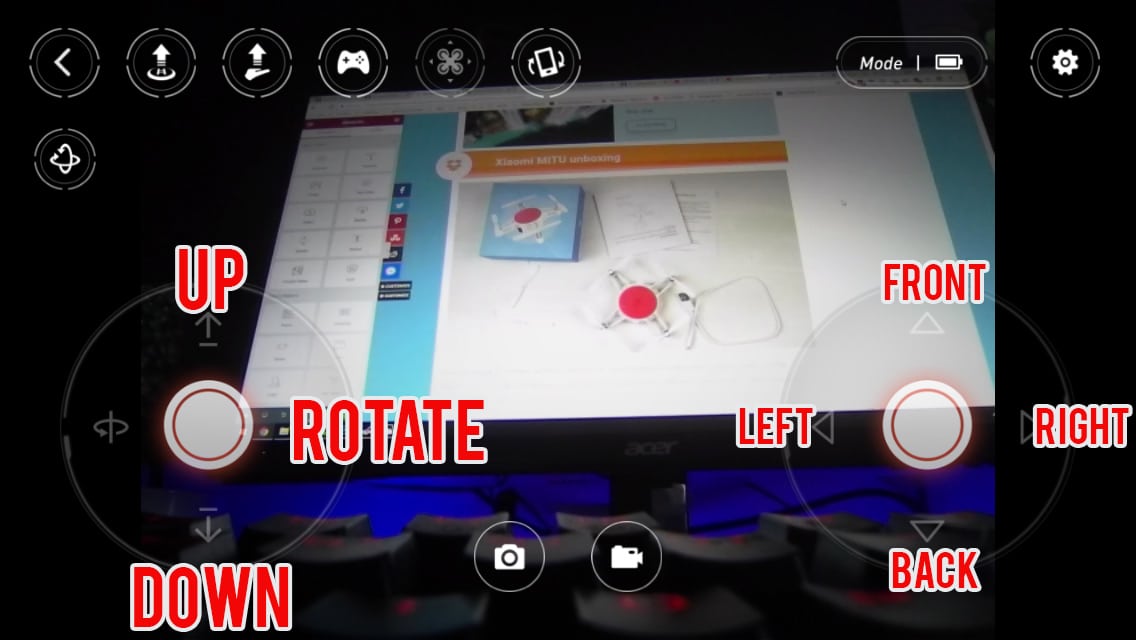
Orientation Confusion
The most common beginner challenge with any drone: when the drone is facing toward you, left and right controls reverse relative to your perspective. Pushing right on the stick moves the drone to your left. This is disorienting at first. GPS drones mitigate this somewhat because they move slowly and you can stop and reorient, but it still requires practice to internalize. FPV pilots must learn to handle this intuitively in all orientations at speed.
Wind and Environmental Factors
Wind that feels mild at ground level can be 3-4x stronger 100 feet up. A GPS drone compensates for wind automatically, but strong gusts beyond the drone's specification (typically 20-35 mph for consumer models) can push it off course or fight the motors hard enough to drain the battery quickly. Toy drones without GPS have no wind compensation at all, making even light breezes a real challenge.
Urban environments create additional challenges: buildings funnel wind into unpredictable gusts, and metal structures interfere with GPS and compass signals. Forests and parks with tree canopy reduce GPS signal quality, causing the drone to drift in GPS mode.
Battery Management and VLOS
Most consumer drones have 20-35 minutes of flight time. Battery depletion is a common cause of crashes and flyaways. The FAA also requires pilots to keep the drone within visual line of sight (VLOS), which gets difficult at ranges beyond 300-400 meters. Losing visual reference makes orientation confusion worse and increases crash risk.
Tip: Land with at least 20% battery remaining for your first 20-30 flights. At that threshold, the drone still has enough power for a controlled landing if you need to fly around an obstacle on the way down.
Altitude and Depth Perception
Judging distances and obstacle clearances from a 2D screen (or even naked eye) is harder than it looks. Most pilots underestimate how close they are to trees, wires, and buildings when flying at altitude. Obstacle avoidance systems help on mid-range and premium drones, but they are not infallible and activate only in certain directions depending on the model.
Why Indoor Flying Is Harder Than Outdoor Flying
GPS does not work indoors. Consumer drones rely on GPS for position hold. Inside, the drone switches to barometer-only altitude hold and optical flow (a downward camera that tracks the floor pattern). Optical flow works well on textured surfaces like carpet or hardwood but fails over featureless floors or glass. Without GPS, any breeze from an open window or HVAC vent causes drift.
Start your first flights outdoors in calm conditions. Indoor flying with a GPS drone is genuinely harder than outdoor flying, not easier, despite the smaller space. If you do fly indoors, choose a large gym or open warehouse rather than a living room, and set the drone to its slowest mode.